Buy your first stock
Get to know the home page
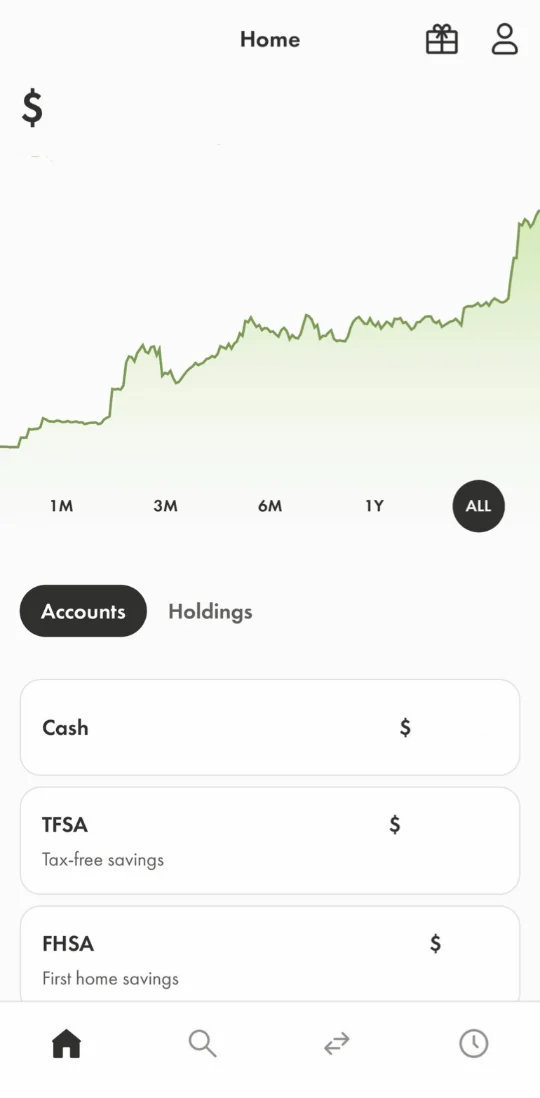
You can see a chart with all your accounts combined.
You can toggle between “Accounts” and “Holdings”.
There are 4 buttons on the bottom bar: home, search, move and activity.
It includes all the different accounts you hold, with their total value and P&L percentage.
Invest in a Tax Free Savings Account
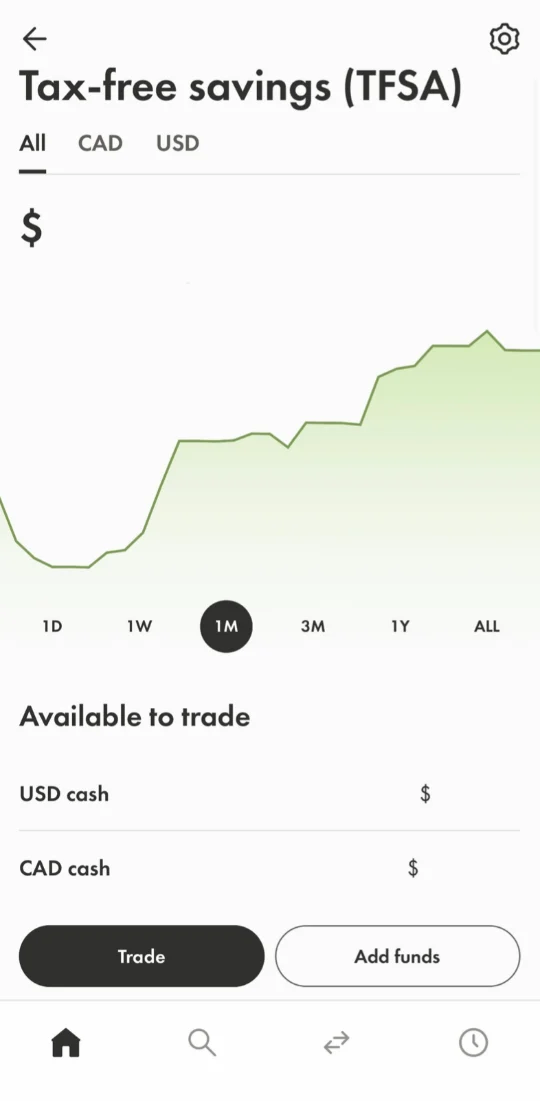
Open a TFSAA Tax Free Savings Account is the investing account you want to start investing in, and max it out! No taxes on growth!
Add FundsOnce you've created your TFSA account, press ‘Add Funds’ to deposit from your bank account and start investing!
Browse the Discover page
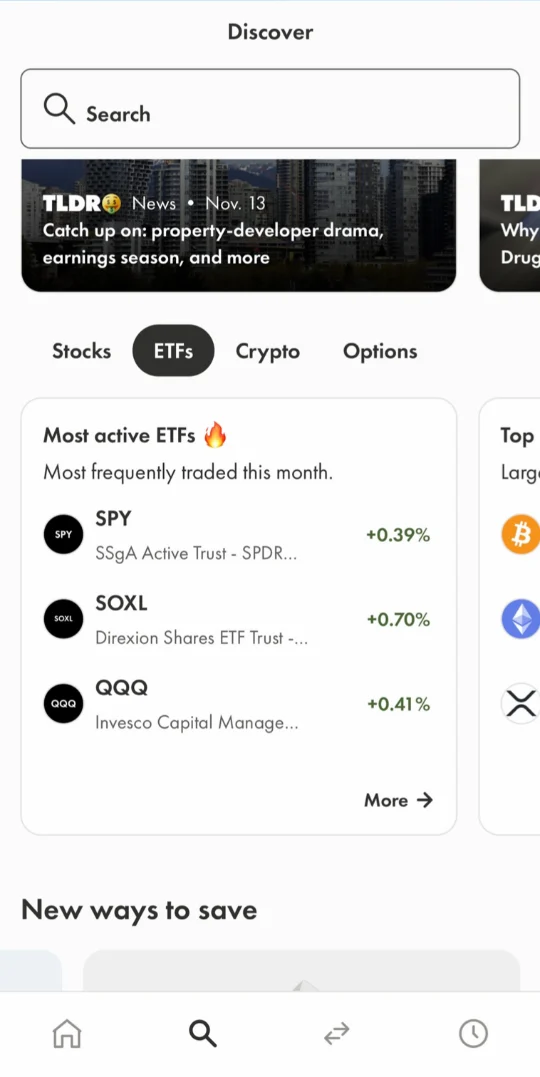
‘Search’ ButtonOn the bottom bar, the second button from the left is the ‘Search’ button, where you can find different categories of Stocks, ETFs, Crypto and Options. Browse through different ticker symbols here too!
TLDRTLDR is their newsletter and podcast brand, but it also serves daily news and current market updates in the app.
Look up the ticker symbol
Ticker SymbolA ticker symbol is the 3–4 letter code that represents a stock on the market. Make sure to look up the correct ticker symbol for the company you're purchasing!
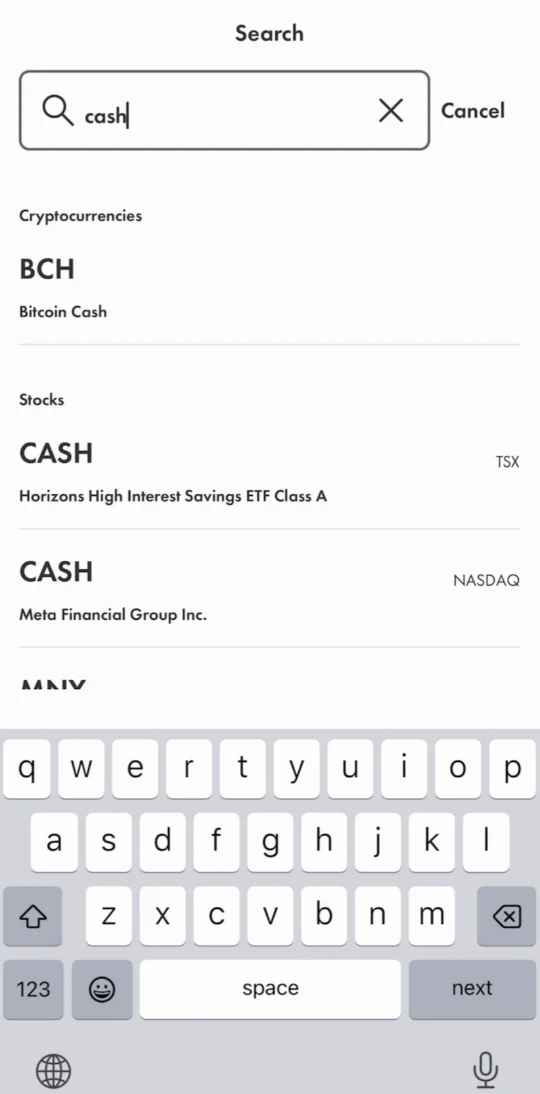
Two stocks share the ticker CASH here, one on the TSX and one on the NASDAQ. Read the stock page
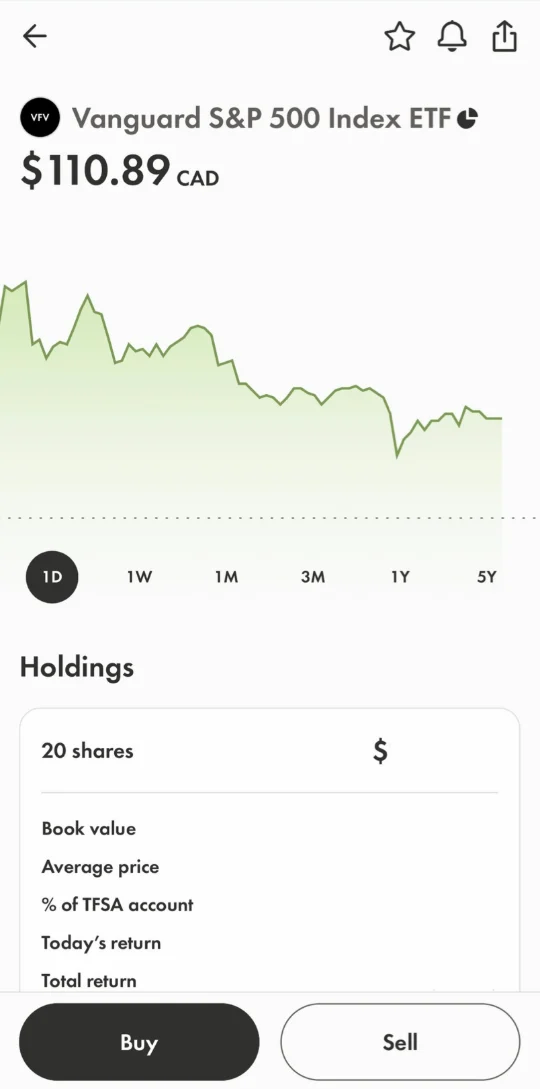
Stock ChartA chart of the stock is shown over different time frames: 1 day, 1 week, 1 month, 3 months, 1 year and 5 years.
HoldingsThis is where you'll see how many shares you have, at what average price, the total makeup of your assets, and the daily and total returns.
Choose the account to buy in
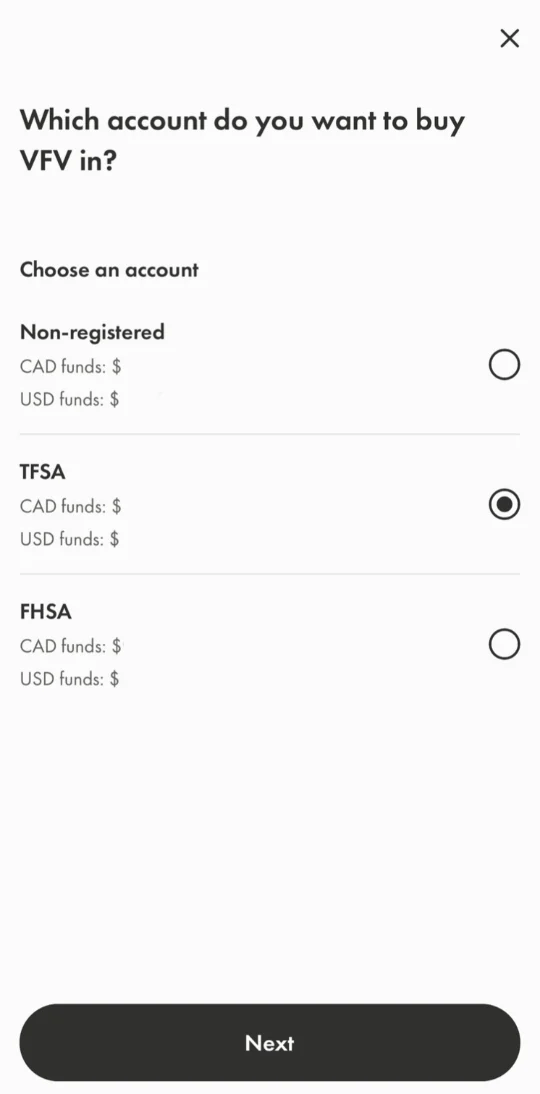
AccountsIf you have different account types open, you'll need to select which account to make the purchase from.
CAD/USD FundsUSD accounts are available for accounts with $100K+ in assets, or with the $10 premium monthly subscription. Otherwise, there's a 1.5% foreign transaction fee when buying or selling US stocks.
Select the order type
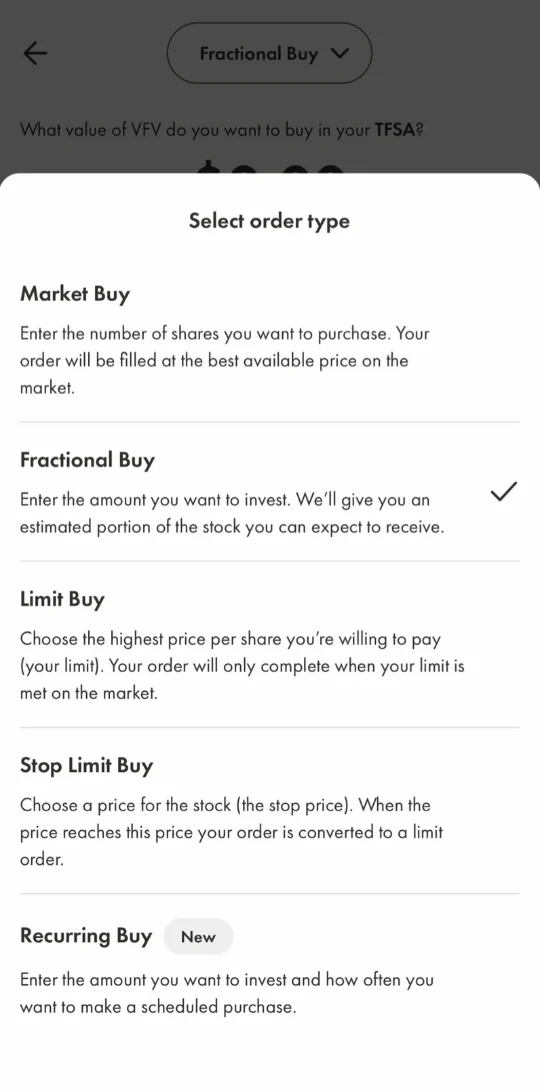
Once you press ‘Buy’ for the stock, select the drop-down menu at the top.
- Market Buy
- Only fulfilled during market hours.
- Fractional Buy
- Lets you buy a portion of a stock, without the commitment of buying one whole share.
- Limit Buy
- You place an order at a specified price, and it only gets fulfilled when it hits that price.
- Stop Limit Buy
- It only places an order once the stock hits your set price.
- Recurring Buy
- Lets you purchase stocks on a schedule.
Decide how many shares to buy
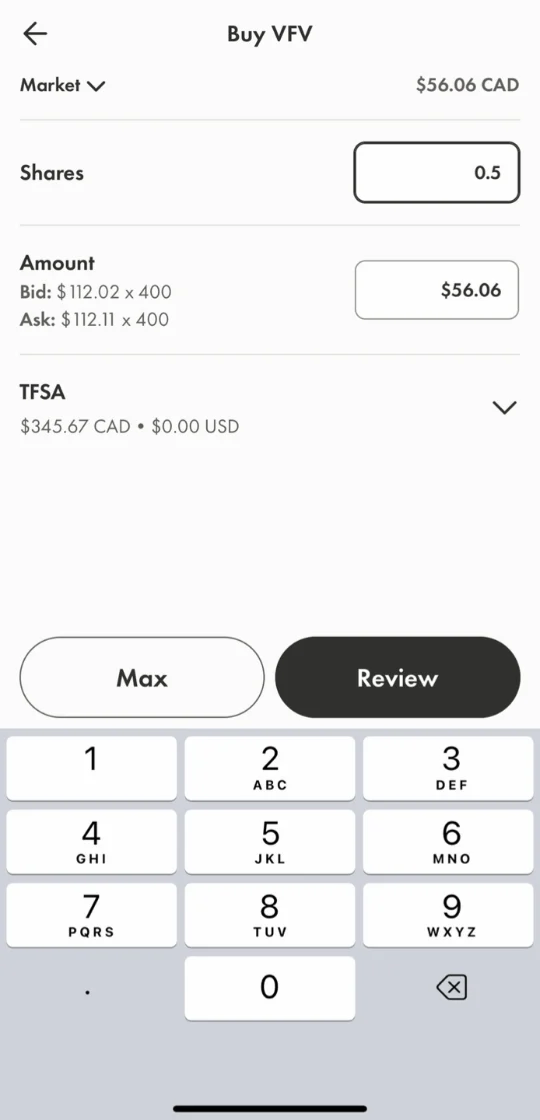
SharesType in how many ‘Shares’ you plan on purchasing. Adding a decimal changes it to a fractional buy!
AmountOr you can put in the amount you want to purchase, which works out how many shares it is. Selecting ‘Max’ fills in the shares and amount based on your available funds.
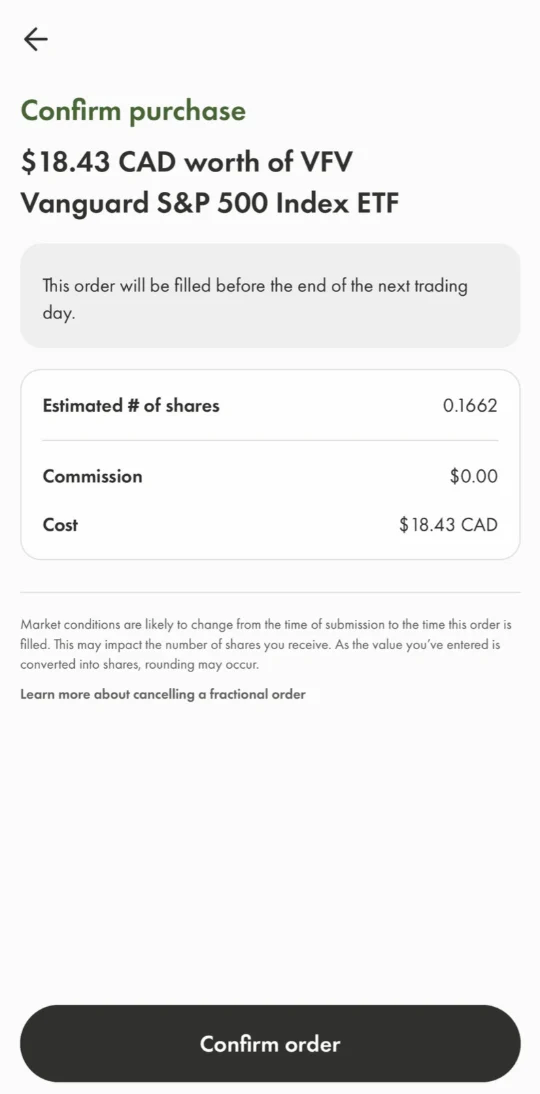
Confirm the purchase
Double CheckConfirm by making sure it's the correct type of order (market, limit, etc.), the correct number of shares, and how much it will cost.
Managed portfolios
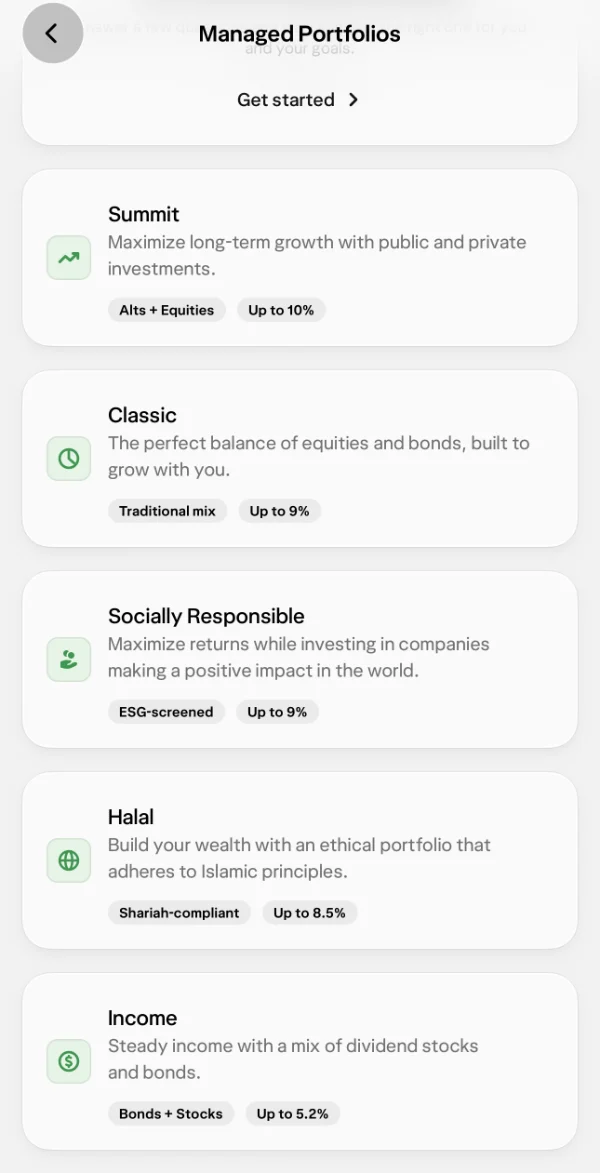
Rather not pick your own? This is an investing account that Wealthsimple manages for you, based on the risk assessment you go through. These are the portfolios it offers.
Get started
Not sure which one? Tap ‘Get started’ at the top, answer a few questions, and it suggests the right one for you and your goals.
Summit
Maximize long-term growth with public and private investments.
Classic
The perfect balance of equities and bonds, built to grow with you.
Socially Responsible
Maximize returns while investing in companies making a positive impact in the world.
Halal
Build your wealth with an ethical portfolio that adheres to Islamic principles.
Income
Steady income with a mix of dividend stocks and bonds.
Portfolios and figures as the Wealthsimple app shows them, November 2026.
Let's make investing happen
Open a Wealthsimple account and get $25 (opens in a new tab)Fund $1 and use the link to get the bonus. My referral link. Not financial advice.